
Sew On Time: Using Your Machine's Alarm
Nov 01, 2026
Have you ever sat down "just for a few minutes" to sew...
and suddenly it's way past the time you meant to start supper?
Your machine can actually help you with that.
If your machine is equipped with an alarm, like on the BERNINA 990, you can set a simple reminder, so you don't lose track of time while you're stitching.
Here's How to Use It
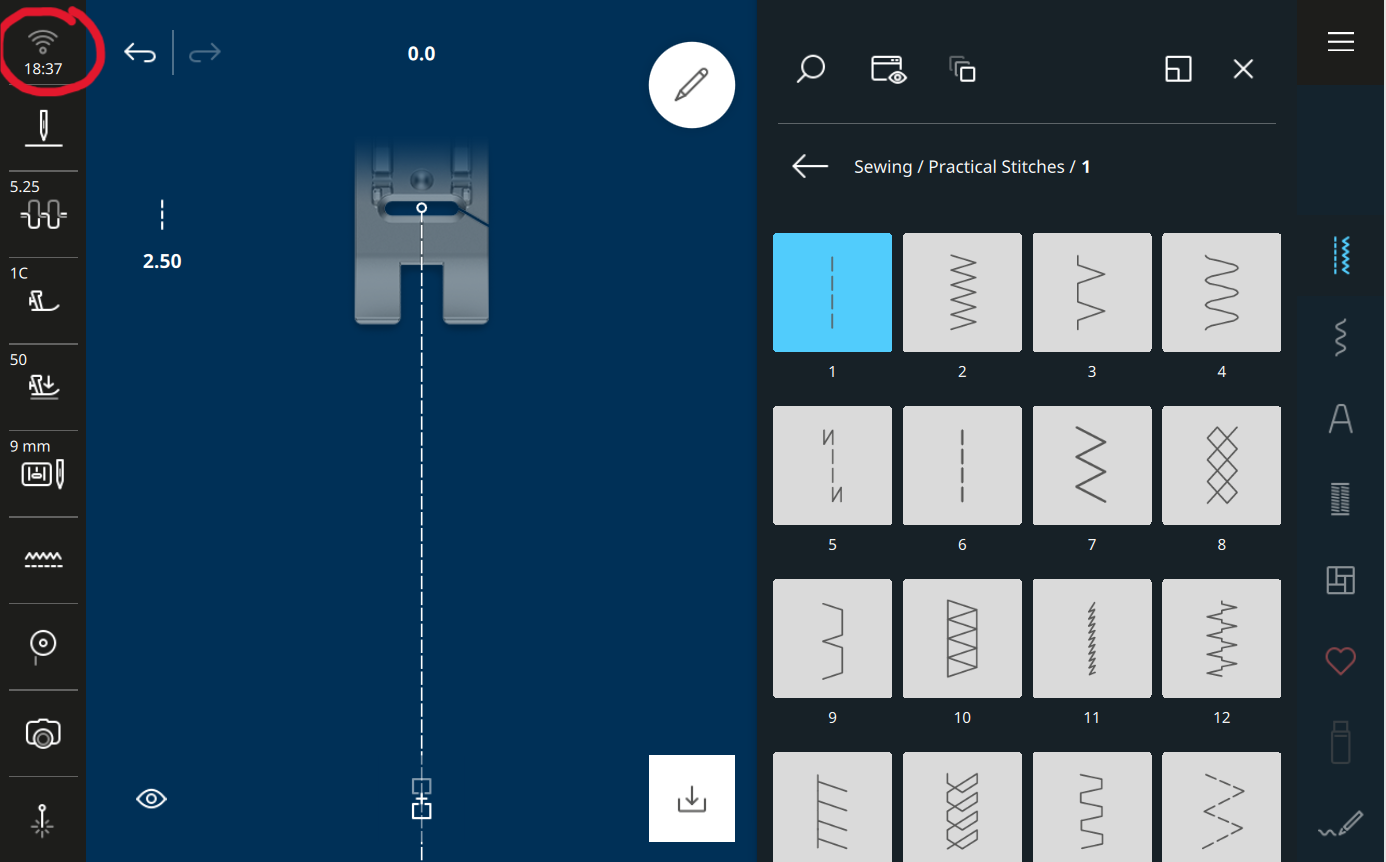
01. Find the WiFi Connectivity Icon
Look at the Status Bar on your screen. At the top is the WiFi Connectivity icon. Tap to open.
02. Turn On the Alarm Feature
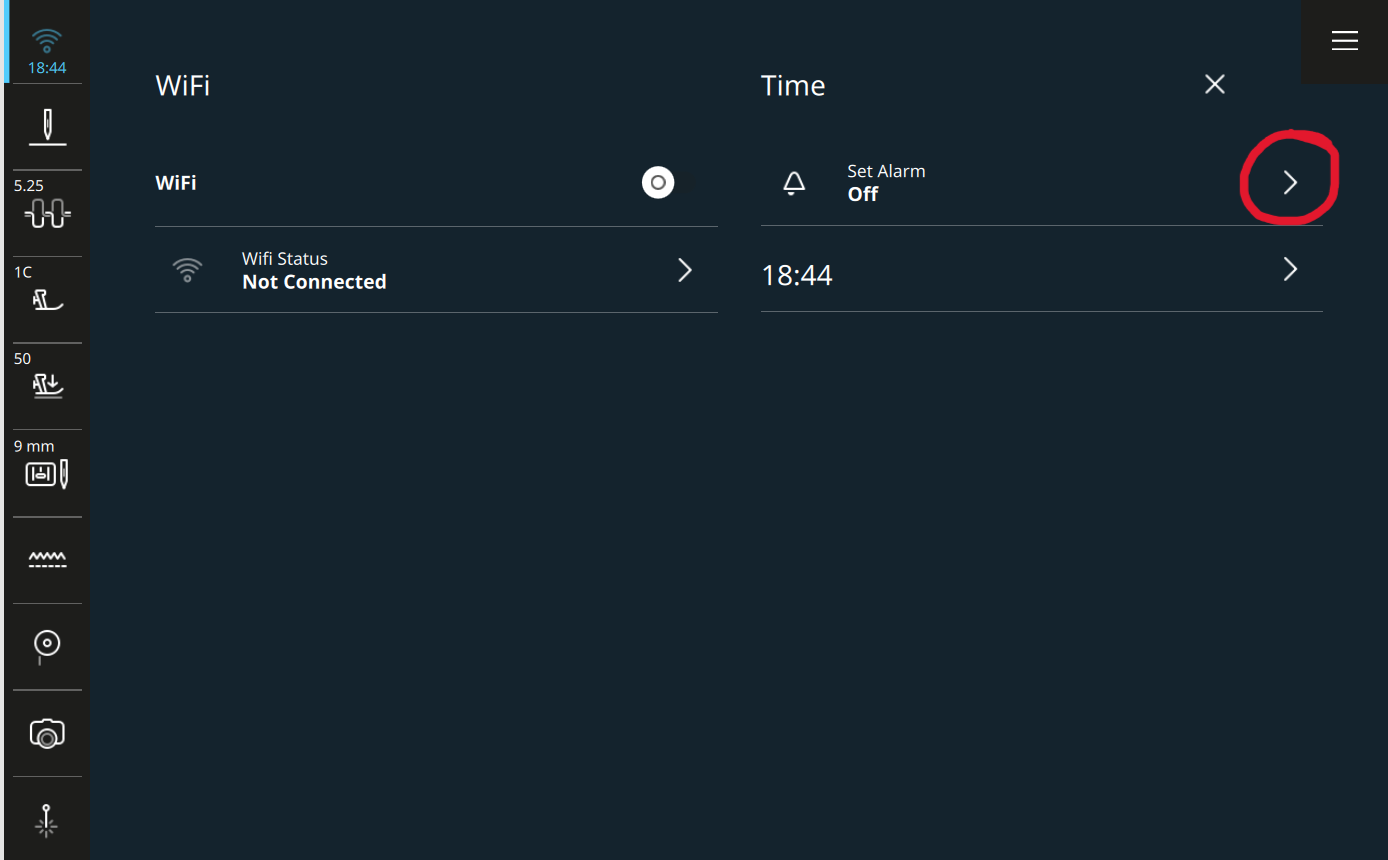
Inside that menu, look for the alarm setting and tap on the arrow.
03. Machine Settings
The machine settings open to the Date, Time, Alarm setting. Here you can choose the time you want the machine to alert you along with writing yourself a message.
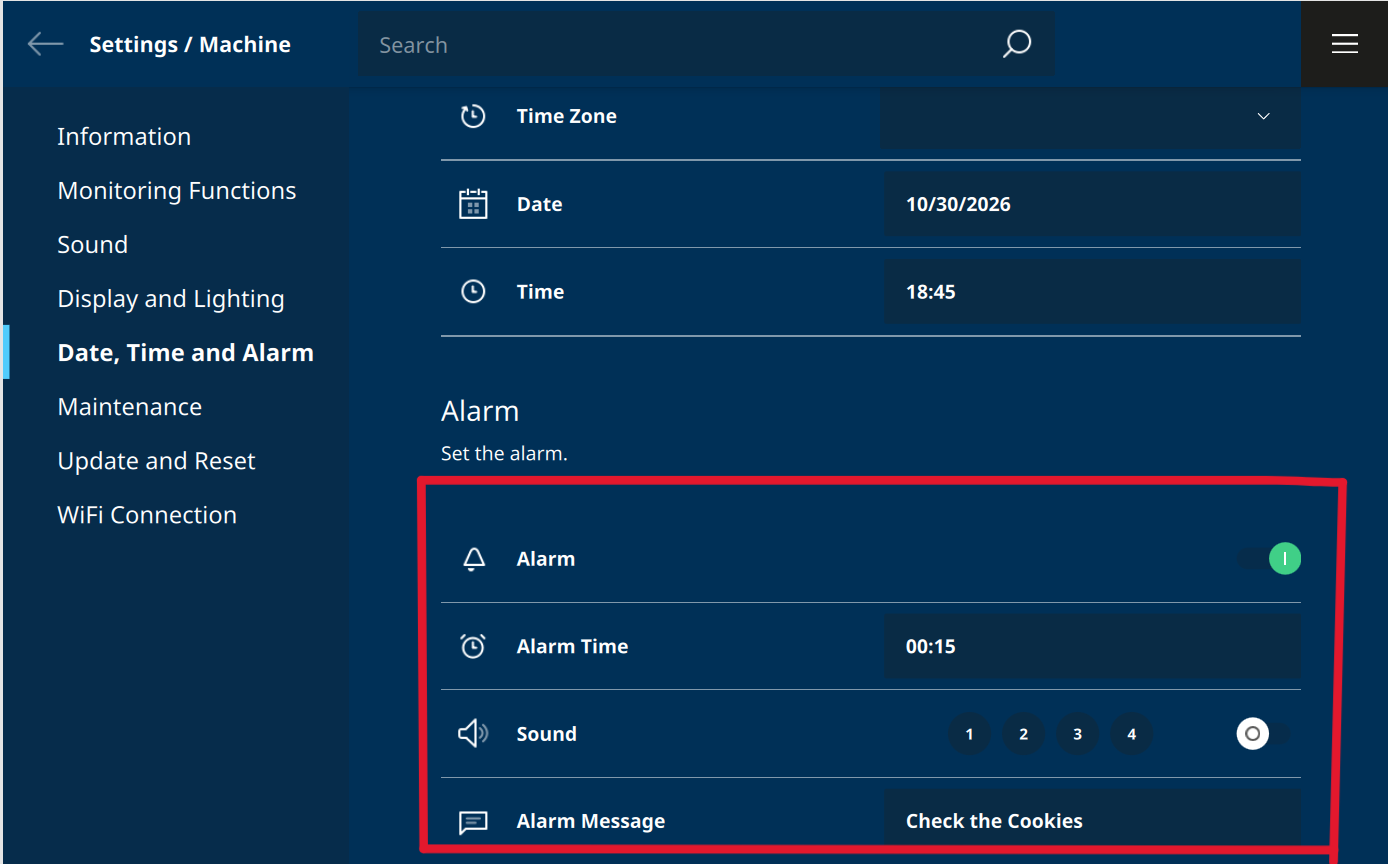
For example: The alarm will sound in 15 minutes and a message "Check the Cookies" will open.
04. Sew Without Clock-Watching
Start your quilting or sewing session and focus on your stitches, not the time.
The machine will keep track for you.
05. Listen for the Reminder
When the alarm goes off, it's your gentle cue to:
-
Pause your project
-
Save your place
-
Wrap up for the day or take that supper break
This little habit helps you enjoy your sewing without accidentally sewing longer than intended.
Why You'll Love This Feature
Your machine isn't just smart about stitches. It can also help you keep track of time.
Want to Learn More?
Want to discover more hidden features in your machine's Status Bar?
Check out my B 990 classes inside Stitch Maker.

Discover Stitch Maker Classes and explore our hands-on Stitch Exercises—your path to mastering BERNINA techniques with creativity and confidence
Join Stitch Maker's Email List
Stay in the loop with all things Stitch Maker!
Get notified whenever a new learning tool launches so you never miss an opportunity to grow your skills.
