
Stop Guessing Which Needle Is In Your Machine
Oct 15, 2026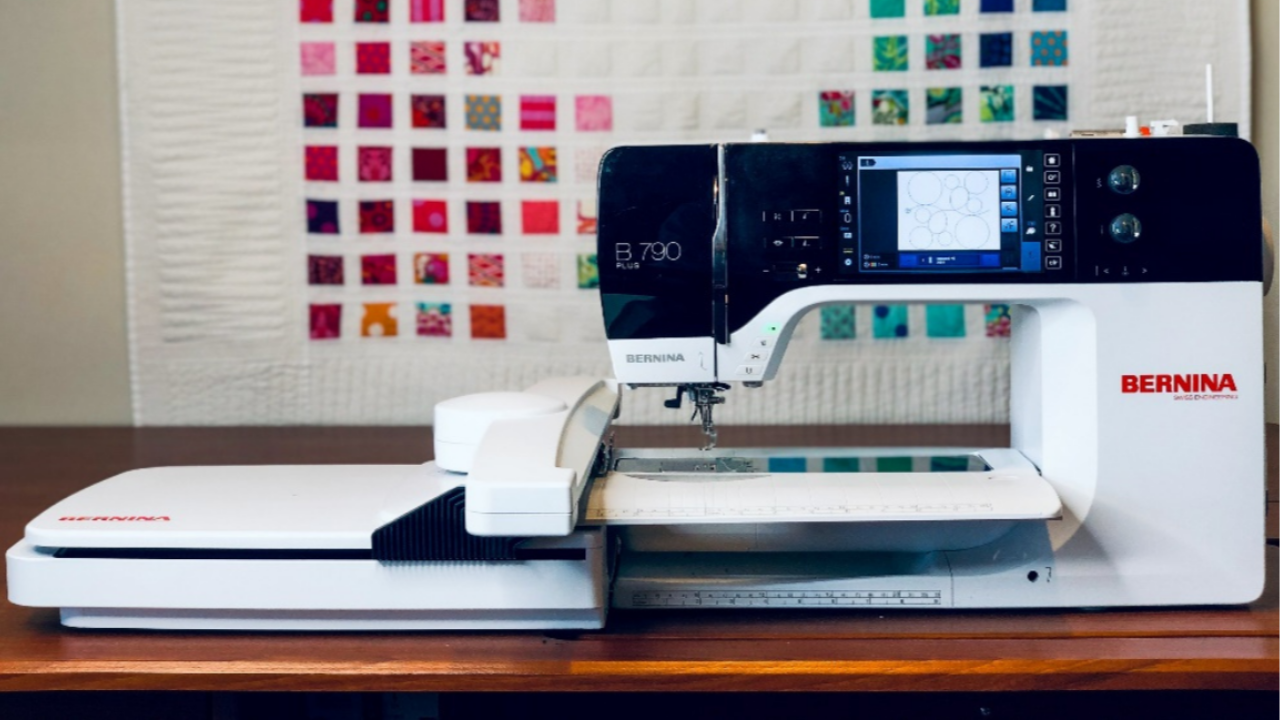
Have you ever walked up to your machine and thought:
"Wait... which needle did I leave in here?"
80/12? 90/14? Universal? Quilting?
Instead of guessing, you can let your machine remember it for you.
Here's How
01. Insert Your Needle
Insert the needle you want to use for your project.
02. Go to the Status Bar
On the left side of your machine's sewing screen is the Status Bar. This is where the machine keeps track of and shows important setup details.
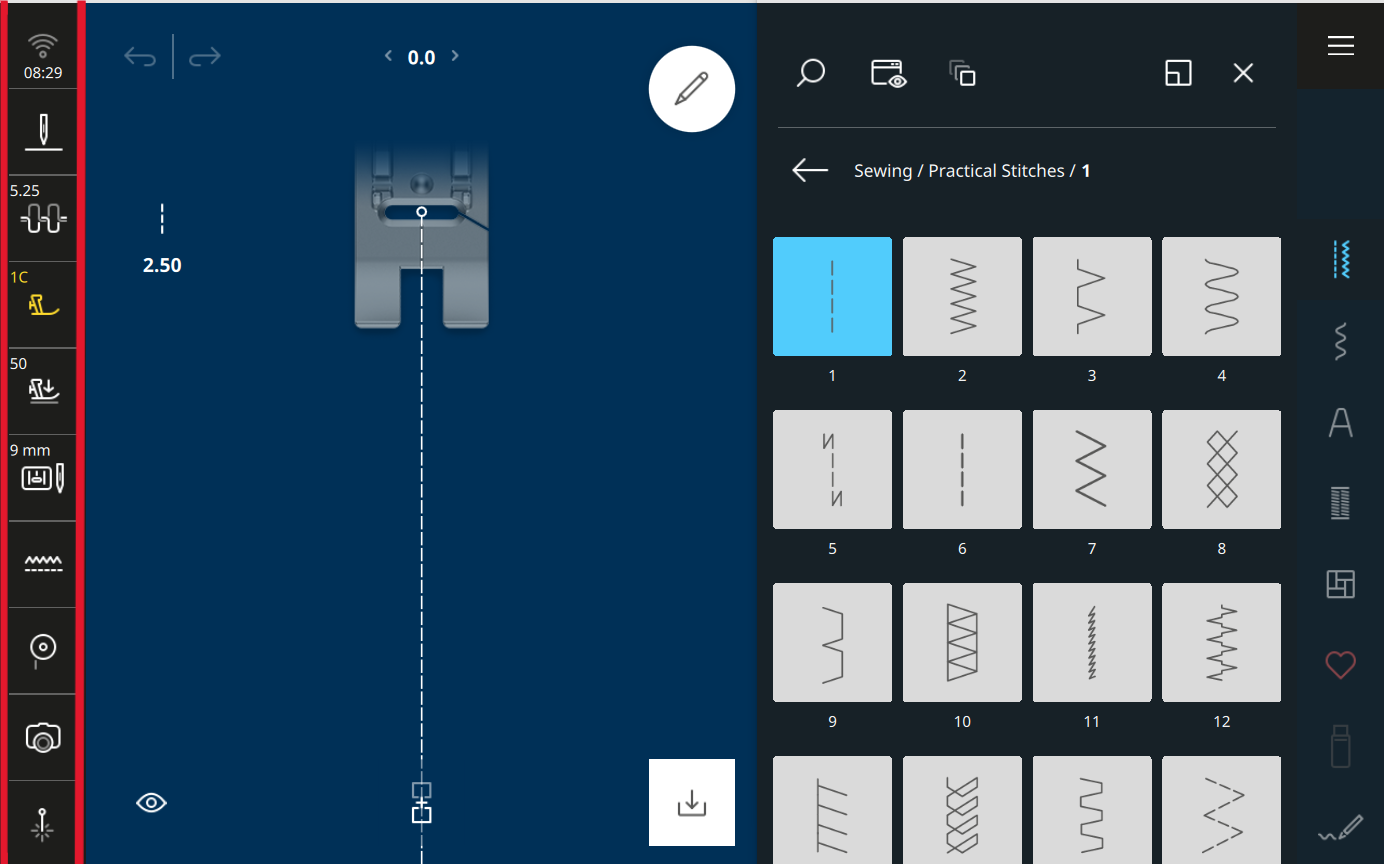
03. Select Stitch Plate and Sewing Needle Icon
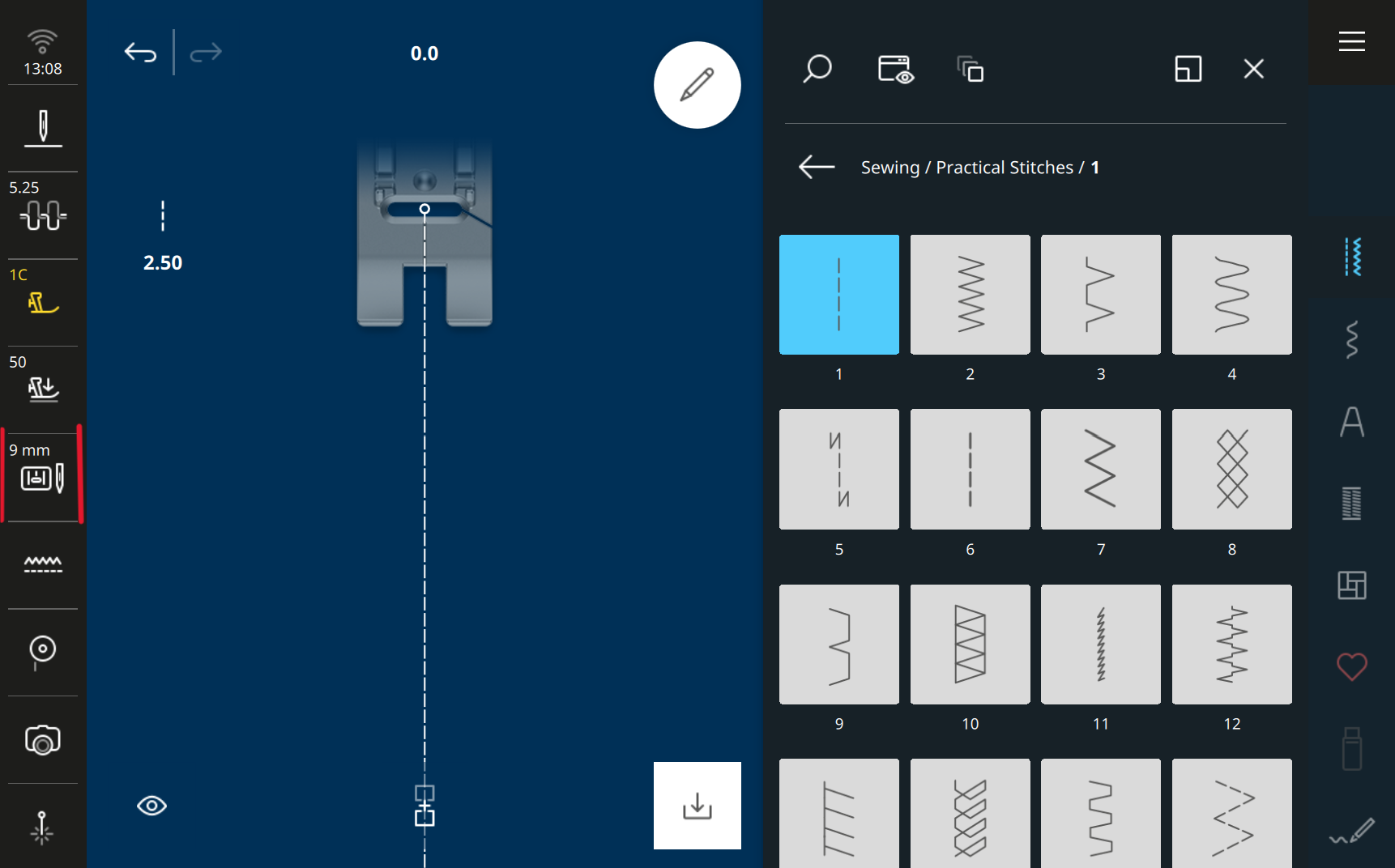
This is your machines safety system. Here you can select the needle and stitch plate that you are using to prevent using a stitch pattern that could hit the stitch plate or presser foot. It also helps set up correctly for specialty techniques (double needle, wing needle etc.).
04. Select Needle Minder Icon
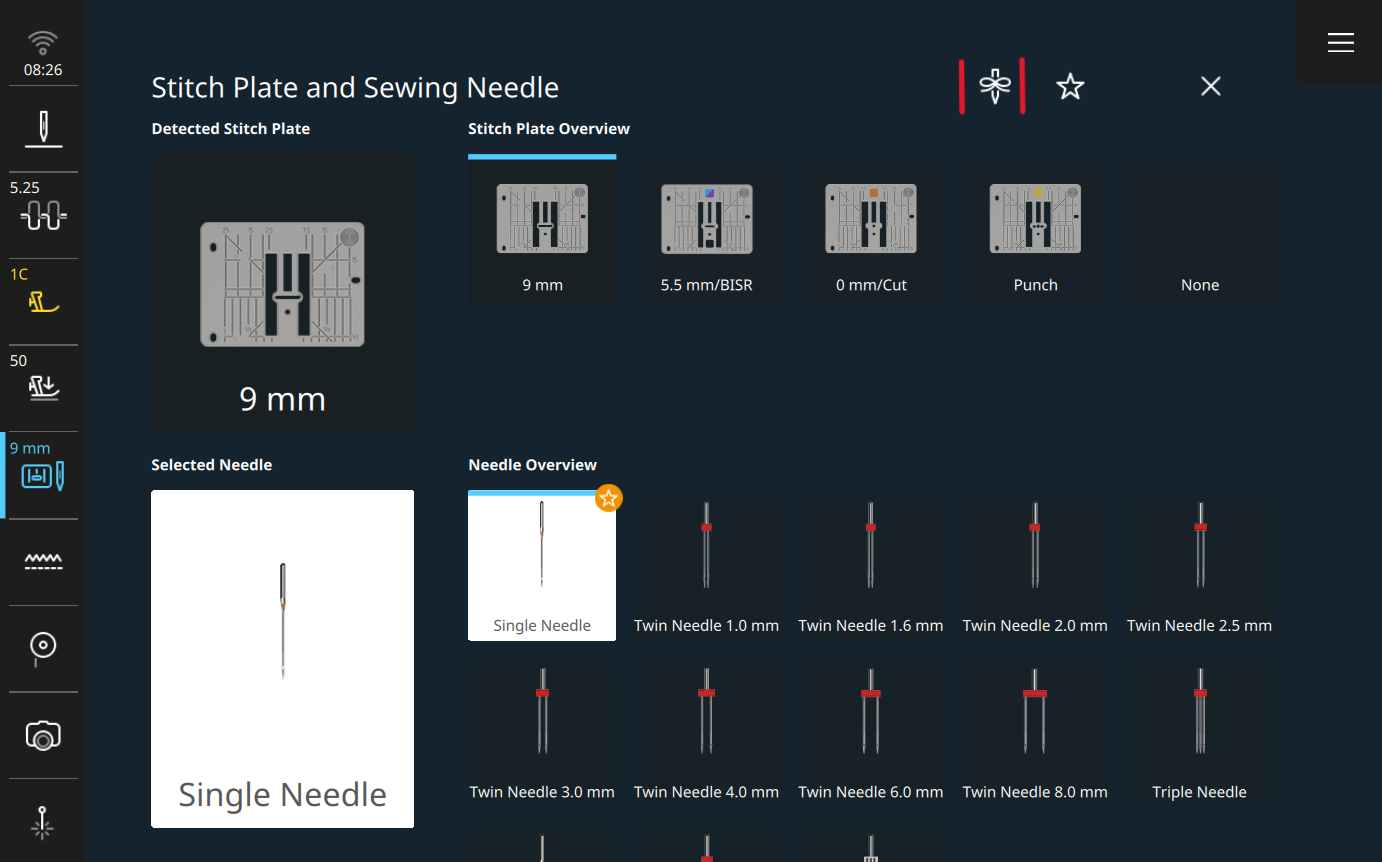
05. Select the Inserted Needle Size and Type
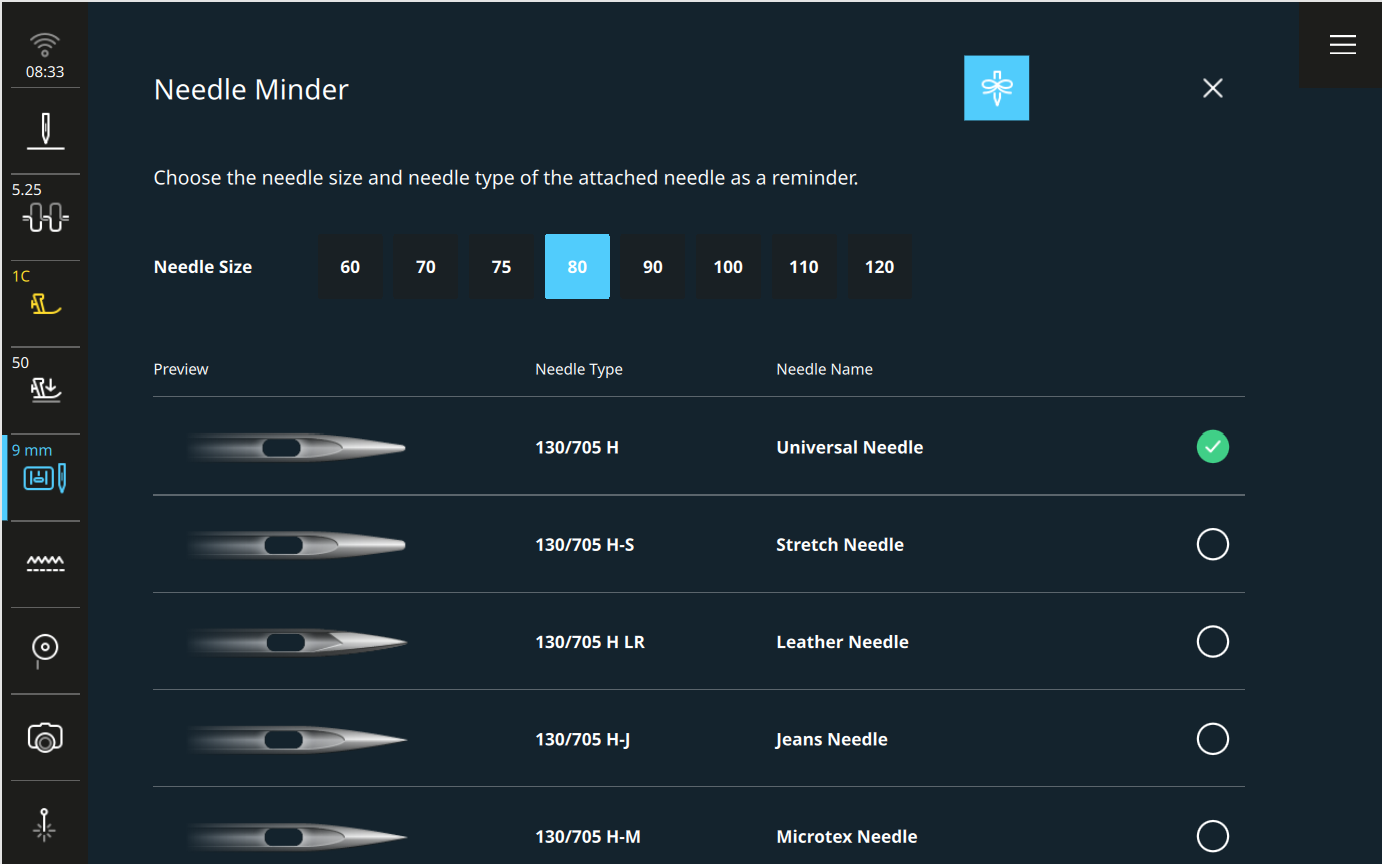
06. Confirmed and Keep Stitching
Once you've entered it, the machine stores that information for you.
Even if you turn the machine off, it will still remember which needle you told it you're using.
Why You'll Love This Feature
It's a tiny habit that:
-
Saves time
-
Reduces mistakes
-
Helps you match your needle to your thread and project more confidently
Your machine has these smart tools built in.
Using them turns it from "just a sewing machine" into a real sewing partner.
The Next Time You Sit Down to Sew...
Instead of guessing which needle is installed, simply check the Needle Minder.
Your machine already knows.
Want to Learn More?
Want to learn more time-saving shortcuts on your machine's screen?
Join my B 990 Sewing Mode Essentials Class inside Stitch Maker.
Discover Stitch Maker Classes and explore our hands-on Stitch Exercises—your path to mastering BERNINA techniques with creativity and confidence
Join Stitch Maker's Email List
Stay in the loop with all things Stitch Maker!
Get notified whenever a new learning tool launches so you never miss an opportunity to grow your skills.