
B 990 Colors Function Part 1: Design Colors Menu
Oct 21, 2025Mastering the B 990 Colors Function 6-Part Series
Learn how to navigate, customize, and transform thread colors—one shade or the whole palette—on the B 990 with precision and ease with this 6-part blog series.
B 990 Colors Function Part 1: Design Colors Menu
If you've ever wished for a magic wand to tweak thread colors of your embroidery design, the B 990’s Colors Function is your new best friend. Whether you're refining a palette or experimenting with bold new thread color combos, this intuitive tool makes color editing a breeze.
Get Started Editing Color
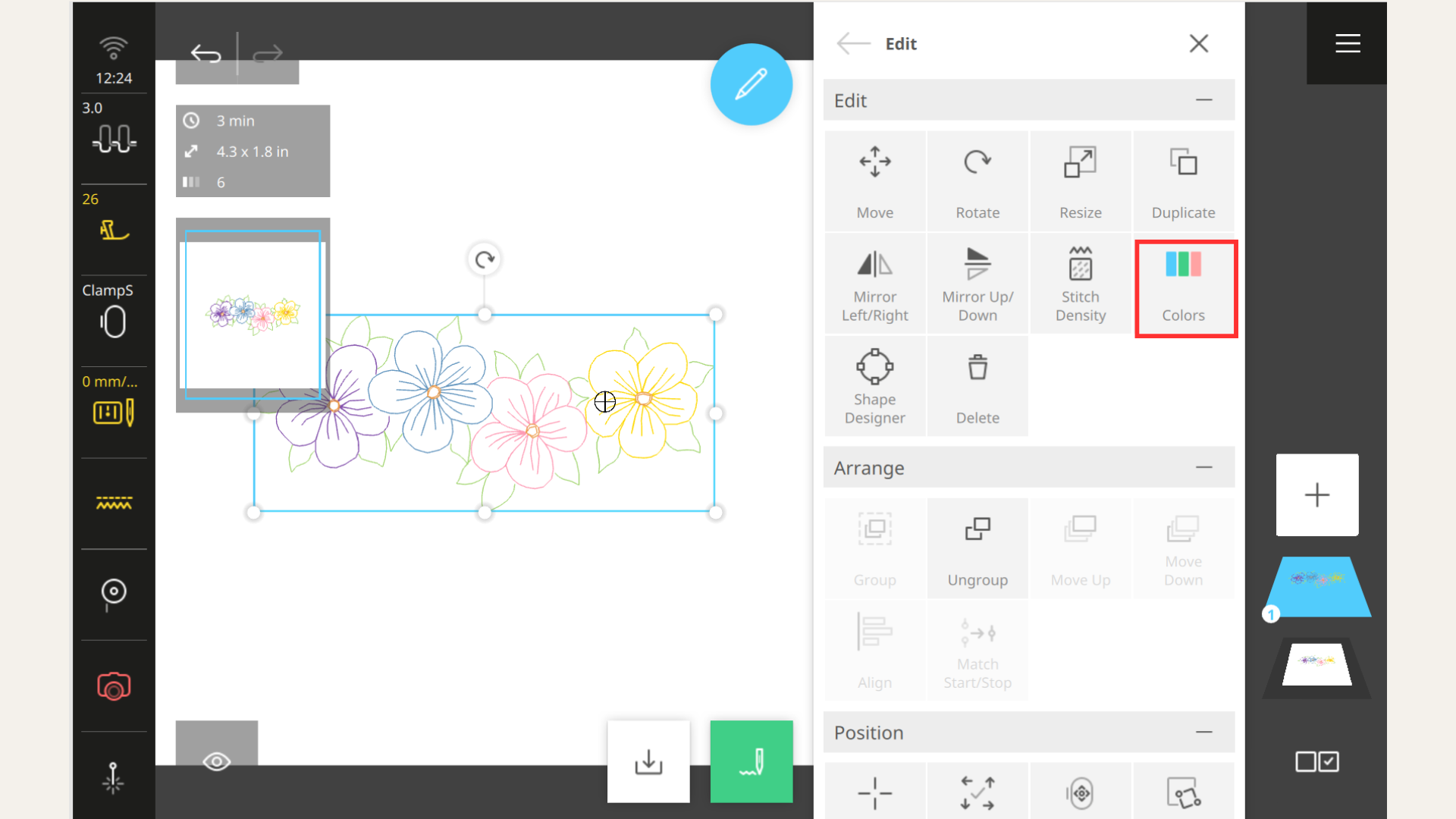
To begin, open the Design Colors Screen by selecting the Colors Function Icon in the Edit Sub-menu.
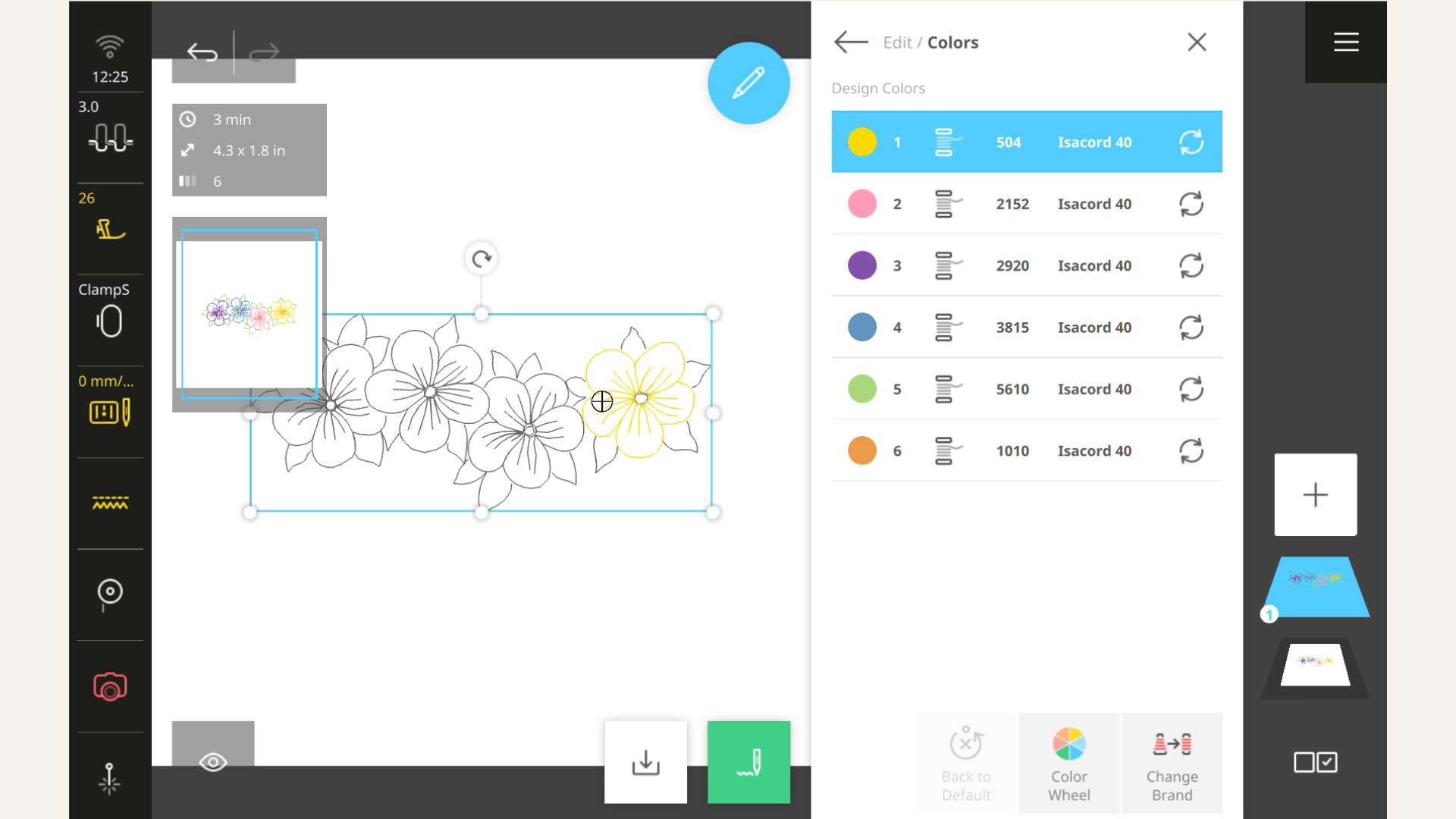
Once open, the Design Colors Menu opens like a painter’s palette—displaying every thread color in your embroidery design, neatly arranged in the order they’ll be stitched. The selected color (yellow in the image below) is shown in the Embroidery Preview area to make it easy to identify where the color is in the embroidery design. You can tap any of the colors to make changes to the individual color.
Breaking Down the Columns: What Each One Tells You
The Design Colors menu is packed with helpful details—like a cheat sheet for your stitching strategy. Here's what each column reveals:
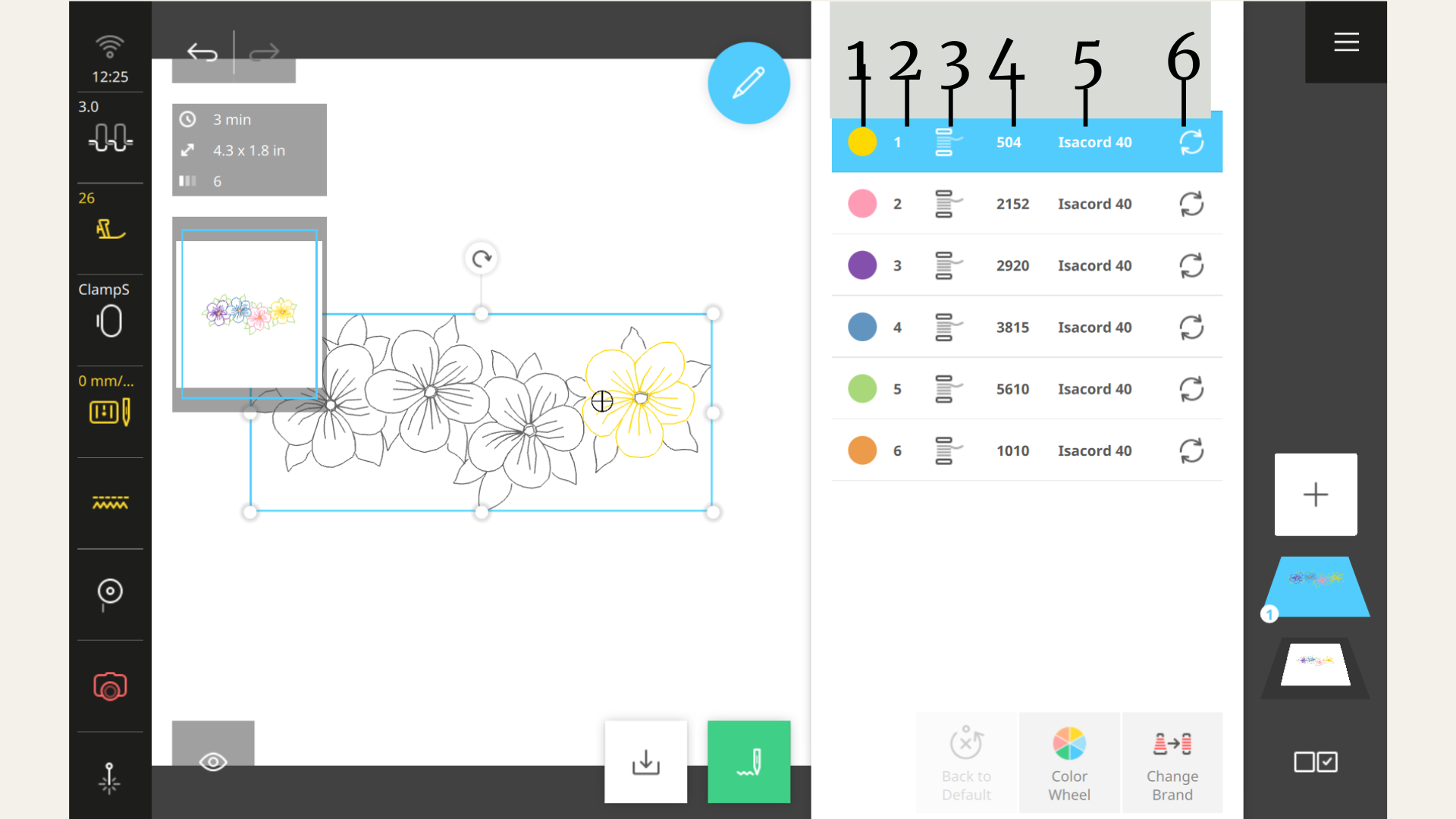
- Color Swatch: Shows the actual thread color used in the design.
- Stitch Order: Indicates the sequence in which each color will be stitched.
- Embroidery Type Icon: Tells you what kind of stitching or tool is being used—standard thread, or a DesignWorks tool like cut, paintwork, or crystal.
- Thread Number: Displays the specific number for the thread.
- Thread Brand: Identifies the brand of thread selected.
- Color Change Option: Lets you swap out the current thread color for a new one.
Go ahead, get started. Open an embroidery design then the Colors Function and let the coloring begin!
Keep Making Stitches!
Discover Stitch Maker Classes and explore our hands-on Stitch Exercises—your path to mastering BERNINA techniques with creativity and confidence
Join Stitch Maker's Email List
Stay in the loop with all things Stitch Maker!
Get notified whenever a new learning tool launches so you never miss an opportunity to grow your skills.